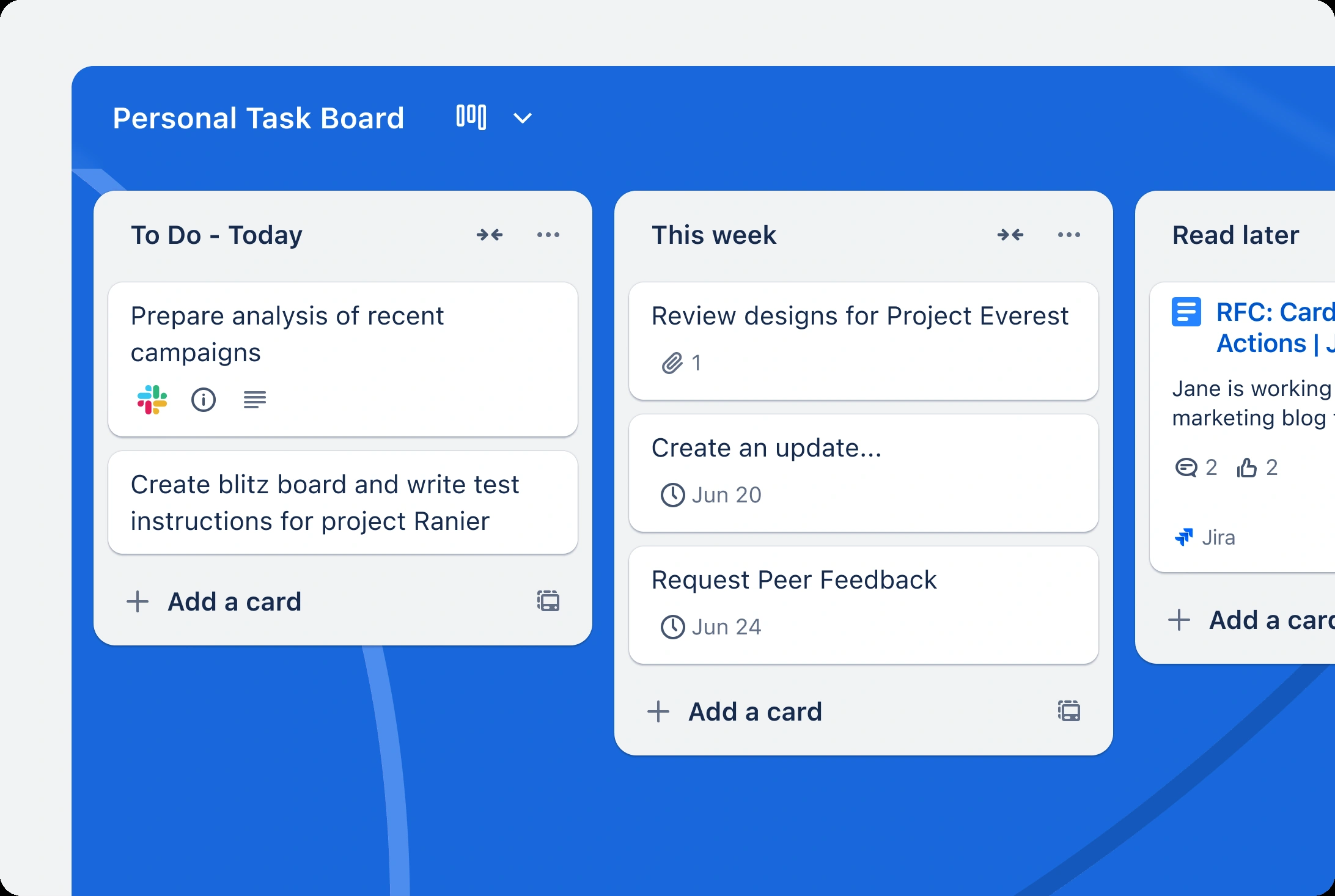
Trello organizes work into boards, lists, and cards that move through a process. A small team can track product launches, content, customer tasks, or recurring operations in a shared visual view.
Public rating not verifiedFree plan available; usage limits apply.
Trello works well when everyone can understand the workflow by looking at a board.
Easy-to-understand visual task flow
Flexible cards support many small-team processes
Large boards become harder to scan
Paid access grows with the user count
Best for:
Solo usersSmall teamsGrowing businesses
Best use case: Track an ecommerce launch checklist.
Track an ecommerce launch checklist. Manage a content production calendar. Coordinate recurring tasks across a small team.
Read the full assessment
Trello works well when everyone can understand the workflow by looking at a board. Start with a small number of lists and make ownership and completion rules explicit. Standard is useful when free board limits or basic checklists become restrictive; Premium is more relevant for teams needing multiple views and stronger administration.
Strengths
Easy-to-understand visual task flow
Flexible cards support many small-team processes
Automation reduces repeated board actions
Free plan can cover an initial shared workflow
Tradeoffs
Large boards become harder to scan
Paid access grows with the user count
Complex dependencies may need a different planning tool
Who it suits
Track an ecommerce launch checklist.
Manage a content production calendar.
Coordinate recurring tasks across a small team.
About Trello
Trello organizes work into boards, lists, and cards that move through a process. A small team can track product launches, content, customer tasks, or recurring operations in a shared visual view. Cards hold task details, comments, checklists, and due dates.
Paid plans expand board capacity, automation, views, and administration. The simple card model is easy to start with, but the team still needs an agreed process for ownership and completion. Per-user billing should include everyone who needs paid workspace access.
Pricing & Plans
Prices use the currency shown. Tax, usage limits and billing terms vary by provider.
Save up to 20% with annual billing
Free
$0/mo
For a small visual workflow.
10 boards per workspace
Up to 10 collaborators
Cards, checklists, and due dates
250 automation command runs per month
Full plan details & limits
For a small visual workflow.
For a small visual workflow. Monthly billing.
Standard
$6/seat/mo
For ongoing team task management.
Unlimited boards
Advanced checklists
Custom fields
1,000 automation command runs per month
Full plan details & limits
For ongoing team task management.
For ongoing team task management. Monthly billing.
Premium
$12.50/seat/mo
For teams needing more visibility and control.
Additional workspace views
Administration tools
Unlimited automation command runs
Standard capabilities
Full plan details & limits
For teams needing more visibility and control.
For teams needing more visibility and control. Monthly billing.
FeaturesBoards, lists, and task cards · Checklists and due dates · Comments and attachments
Boards, lists, and task cards
Checklists and due dates
Comments and attachments
Built-in automation
Power-Ups and integrations
Additional views and administration on paid tiers
RatingsAn independent customer rating has not been verified for this listing.
We could not verify a public customer rating for this specific product.
Integrations & connectionsHow Trello fits into your workflow
Trello uses Power-Ups and automation to connect boards with other work tools. Some connected services or Power-Ups have their own charges, and automation allowances depend on the plan.
Platforms & availabilityWeb App
Free plan: Available. Free trial: Not verified.
Cost considerationsBilling, usage limits and additional fees
USD per user: Standard $6/month or $60/year; Premium $12.50/month or $120/year. Free supports up to 10 boards and 10 collaborators per workspace. Enterprise pricing depends on the organization. Paid Power-Ups can cost extra.