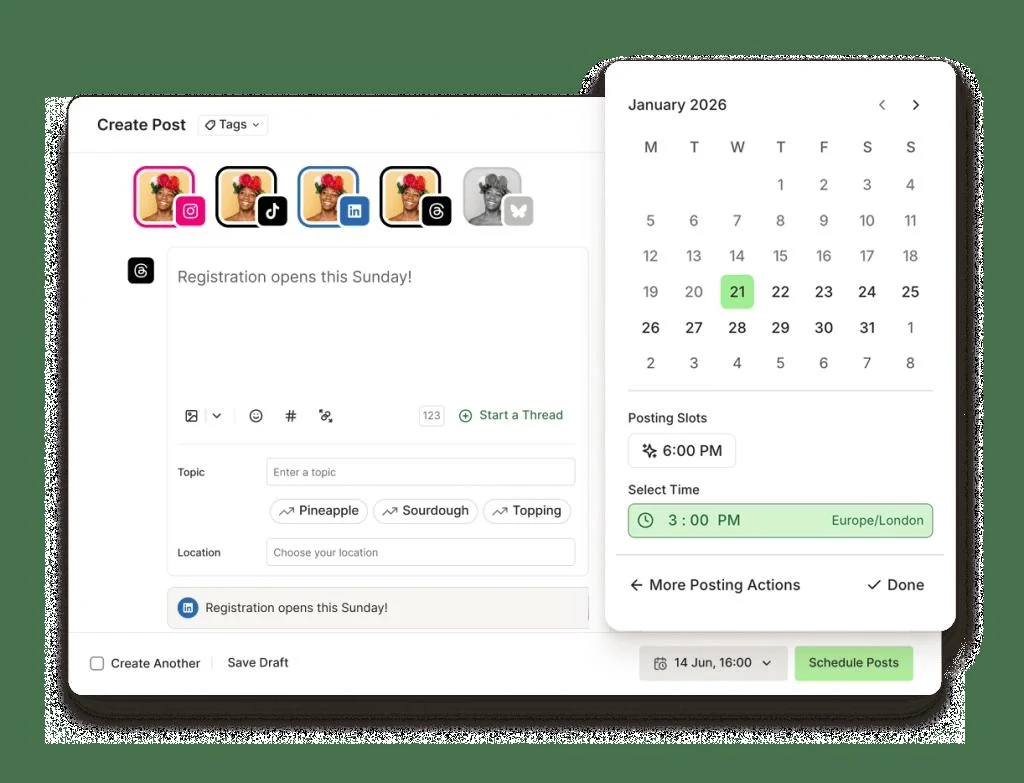
Buffer is a social publishing workspace for collecting ideas, preparing drafts and scheduling posts across connected accounts. A queue and calendar organize each channel’s publishing times, while customization tools help adapt the same idea to different networks.
Buffer is a practical choice when the main job is maintaining a consistent publishing schedule across a few social accounts.
Ideas, drafts and scheduling in one place
Flexible per-channel publishing queues
Each paid connected channel contributes to cost
Network and account-type capabilities differ
Best for:
Solo usersSmall teams
Best use case: Preparing a week of channel-specific posts and publishing them through a reviewed schedule.
A practical fit for independent social operators and small teams scheduling regular content.
Read the full assessment
Buffer is a practical choice when the main job is maintaining a consistent publishing schedule across a few social accounts. Its idea library, drafts and queue keep preparation close to publishing, while Team adds a review step for shared work. Count channels rather than people when comparing costs. Before committing, test the exact account types and post formats you use, because automatic publishing and analytics are not identical across every network.
Strengths
Ideas, drafts and scheduling in one place
Flexible per-channel publishing queues
Team review and access controls
API and common creative-tool integrations
Tradeoffs
Each paid connected channel contributes to cost
Network and account-type capabilities differ
Advanced analytics require a paid plan
Large channel portfolios need the volume calculator
Who it suits
Solo social-media operators
Small business content teams
Agencies managing routine publishing
About Buffer
Buffer is a social publishing workspace for collecting ideas, preparing drafts and scheduling posts across connected accounts. A queue and calendar organize each channel’s publishing times, while customization tools help adapt the same idea to different networks. Insights and a community inbox support reviewing performance and responding to supported comments.
Paid pricing is based on connected social channels. Essentials is for an individual operator, while Team adds collaboration and approval controls. Publishing, analytics and engagement capabilities vary by network and account type, so the exact channels and formats matter as much as the plan name.
Pricing & Plans
Prices use the currency shown. Tax, usage limits and billing terms vary by provider.
Save up to 17%
Free
$0/mo
Free plan for up to 3 connected channels.
Up to 3 connected channels
10 scheduled posts per channel
100 ideas
1 user account
Full plan details & limits
Free plan for up to 3 connected channels.
Free forever
AI Assistant
Insights
Community inbox
API access
1 API key
3,000 requests/month
Up to 3 channels connected at any one time
Recommended
Essentials
$6/channel/mo
Paid plan priced per social channel.
Unlimited scheduled posts per channel
Unlimited ideas
1 user account
AI Assistant
Full plan details & limits
Paid plan priced per social channel.
$6/channel/month for channels 1–10
Advanced analytics
API access
3 API keys
7,500 requests/month
Community inbox
Hashtag manager
First comment scheduling
Support
Published per-channel rate applies to the first 10 channels
Customer ratings from the linked platforms, separate from our recommendations. Scores and counts can change; each platform uses its own review process.
Integrations & connectionsHow Buffer fits into your workflow
ChatGPT, Claude, Cursor, Raycast, Perplexity, Notion, Zapier, Make, IFTTT, n8n, TRMNL, Canva, Google Drive, Google Photos, Dropbox, Unsplash, Bitly, WordPress, MCP access for ChatGPT/Claude, Automation platforms and API-based workflows
Free plan: Available. Free trial: Available; check eligibility with the provider.
Cost considerationsBilling, usage limits and additional fees
Essentials is $6/channel/month or $60/channel/year; Team is $12/channel/month or $120/channel/year for the first ten channels. All connected channels are paid on a paid plan, including the first three. Beyond ten, graduated discounts apply: the official monthly example is $120 Essentials or $180 Team for 25 channels. Use the official calculator for larger configurations. The annual invoice represents about two months saved, despite an inconsistent 20% FAQ claim. A free queue slot refills after publishing; paid scheduling remains subject to fair use. Trials last 14 days.