Zapier

Connect app events to repeatable business workflows

Workflow Automation

Zapier connects apps through workflows that respond to a trigger and perform one or more actions. Its visual builder supports data mapping, conditions, branches, webhooks and code.

4.5/5(2,040)G2Free plan available
Visit Website

Last checked: September 9, 2026

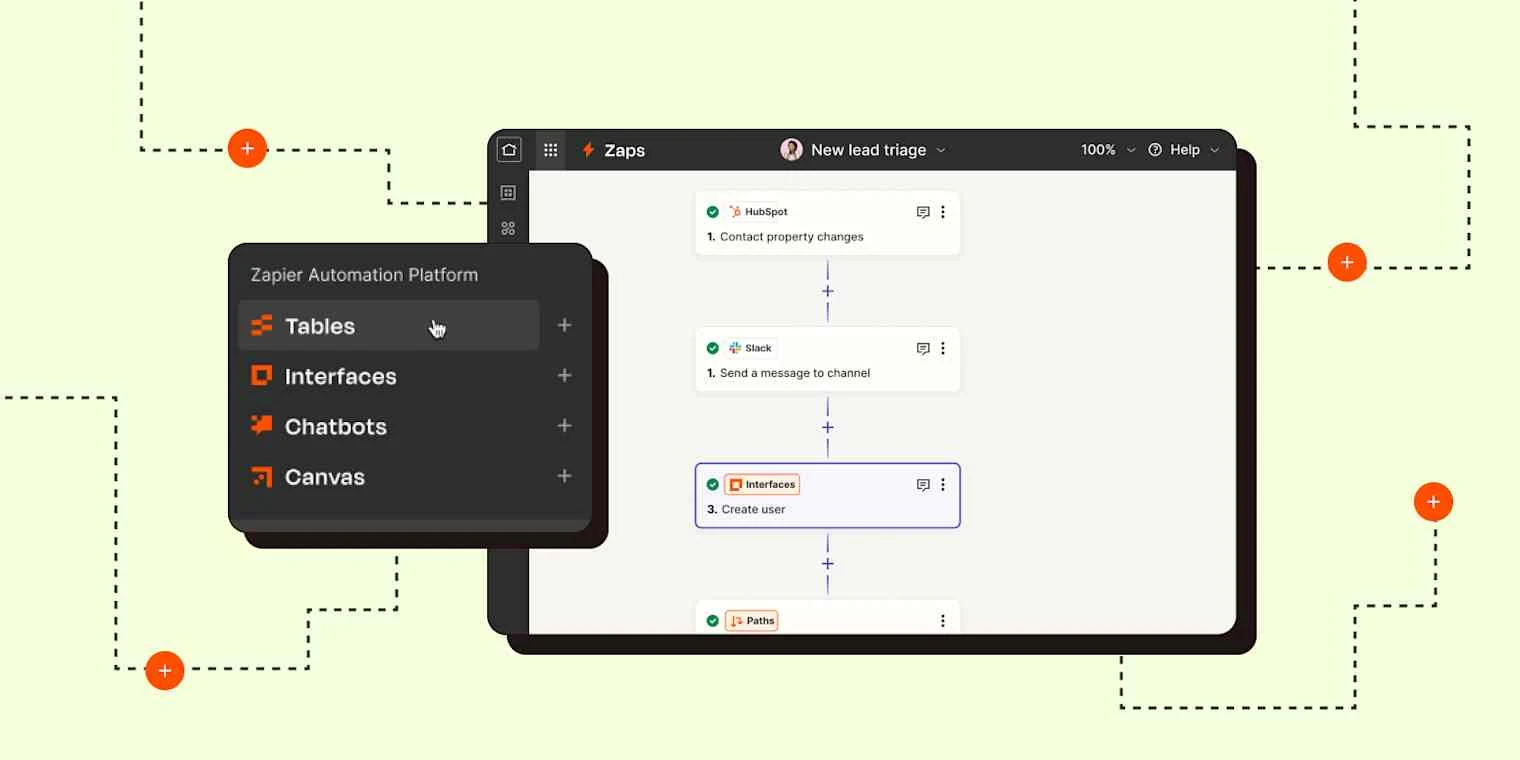
Zapier visual workflow editor product preview

Our Take

Zapier is useful for connecting common business apps without maintaining a custom integration service.

Best for:
Solo usersSmall teamsGrowing businesses
Best use case: Turning a submitted lead form into a CRM record, team notification and scheduled follow-up workflow.

Solo operators and business teams can connect apps; shared workflows need maintenance and usage oversight.

Read the full assessment

Zapier is useful for connecting common business apps without maintaining a custom integration service. Build one representative workflow and count the tasks it uses at realistic volume, including branches and AI steps. Professional is a starting point for individual multi-step automation; Team is more relevant when connections and ownership must be shared. Keep error notifications and a named workflow owner in place so automations remain understandable as the business changes.

Strengths

  • Broad business-app connectivity
  • Visual multi-step workflow builder
  • Tables, forms and automation together
  • Shared connections and team controls

Tradeoffs

  • Task volume can raise costs quickly
  • Complex branches need careful testing
  • Connector capabilities vary by app
  • Add-ons and overages need separate budgeting

Who it suits

  • Small businesses connecting existing apps
  • Operations teams automating handoffs
  • Teams needing shared automation ownership

About Zapier

Zapier connects apps through workflows that respond to a trigger and perform one or more actions. Its visual builder supports data mapping, conditions, branches, webhooks and code. Tables and Forms provide lightweight data storage and input collection alongside the automation platform. Free covers simple two-step workflows with a small task allowance. Professional adds multi-step workflows and premium integrations, while Team adds shared connections and collaboration. Tasks are shared across workflows, AI steps, code, MCP and SDK usage, with rates that depend on the action. Agents and Chatbots are separately presented add-ons.

Pricing & Plans

Prices use the currency shown. Tax, usage limits and billing terms vary by provider.

Save up to 33%

Free

$0/mo

Free plan for basic Zap workflows.

  • Unlimited Zap workflows
  • Tables
  • Forms
  • Two-step Zap workflows
Full plan details & limits

Free plan for basic Zap workflows.

Free

  • 100 tasks/month
  • Two-step Zap workflows only
  • 15-minute polling
Recommended

Professional

$29.99/mo

Single-user paid plan for multi-step Zap workflows.

  • Multi-step Zap workflows
  • Unlimited premium apps
  • Webhooks
  • Email support
Full plan details & limits

Single-user paid plan for multi-step Zap workflows.

USD 29.99/month

  • Live chat support
  • AI fields
  • Conditional form logic
  • 750 tasks per month at this price
  • One user
  • Higher task tiers cost more

Team

$103.50/mo

Workspace plan for shared collaboration features.

  • 25 users
  • Shared Zap workflows and folders
  • Shared app connections
  • SAML SSO
Full plan details & limits

Workspace plan for shared collaboration features.

USD 103.5/month

  • Priority support
  • 2,000 tasks per month at this price
  • Higher task tiers cost more

Higher-volume platform configuration

Variable cost

Professional or Team with a selected larger task allowance.

  • Selected platform edition
  • Expanded task allocation
  • Enter full configured monthly cost
  • Overages and add-ons may apply
Full plan details & limits

Professional or Team with a selected larger task allowance.

Enter your complete quote

    More plans, volume options & API pricing (1)

    Enterprise

    Contact sales

    Custom-priced plan for larger organizations.

    • Unlimited users
    • Advanced admin permissions and app controls
    • Advanced deployment options
    • Annual task limits
    Full plan details & limits

    Custom-priced plan for larger organizations.

    Enter your complete quote

    • Observability
    • Technical Account Manager access
    • Priority support with screen sharing
    • 1-minute polling
    • Code by Zapier runtime: 2 minutes
    View full pricing details

    Everything you need to know

    Explore more details about Zapier.

    FeaturesZap workflows built from triggers plus actions, Filters, Paths + more.
    • Zap workflows built from triggers plus actions
    • Filters
    • Paths
    • Formatter steps
    • Tables
    • Forms
    • AI steps
    • Code steps
    • Unlimited app integrations on paid plans
    • Visual no-code editor
    • Zap version control
    • Custom error notifications
    • Advanced Zap settings
    RatingsG2: 4.5/5, Capterra: 4.7/5, TrustRadius: 8.9/10
    • G2Zapier4.5/5 · 2,040
      Source Checked September 8, 2026
    • CapterraZapier4.7/5 · 3,072
      Source Checked September 8, 2026
    • TrustRadiusZapier8.9/10 · 886
      Source Checked September 8, 2026

    Customer ratings from the linked platforms, separate from our recommendations. Scores and counts can change; each platform uses its own review process.

    Integrations & connectionsHow Zapier fits into your workflow

    Google Workspace, Slack, Salesforce, HubSpot, Microsoft Teams, OpenAI, 9,000+ app integrations, Webhooks and custom integrations

    Platforms & availabilityWeb platform · Developer platform and CLI

    Zapier Inc.

    Free plan: Available. Free trial: Available; check eligibility with the provider.

    Cost considerationsBilling, usage limits and additional fees

    USD base tiers: Professional includes 750 monthly tasks for $29.99/month or $19.99/month annually; Team includes 2,000 tasks and 25 users for $103.50 or $69 annually. Higher task tiers have separate prices. Free includes 100 tasks and two-step workflows. The task pool is shared across workflows, AI, code, MCP and SDK; an action can consume different numbers of tasks depending on model, runtime or connector. Pay-as-you-go can activate when the allowance runs out unless disabled. Agents and Chatbots add-ons require separate budgeting. A 14-day premium trial is offered; support availability depends on the purchased tier.

    Not sure Zapier is right for you?

    Here are a few other great tools to consider.

    View All Alternatives

    Sources & Verification

    Checked September 9, 2026 · 8 sources · View sources

    Provider facts and pricing are separate from our editorial assessments.