Microsoft Clarity

Behavioral analytics for websites and mobile apps

Heatmaps & Session Replay

Microsoft Clarity provides behavioral analytics through session recordings, heatmaps and friction signals. Teams can filter sessions, examine clicks and scrolling, and use AI summaries to focus an investigation.

4.5/5(54)G2Free plan available
Visit Website

Last checked: September 9, 2026

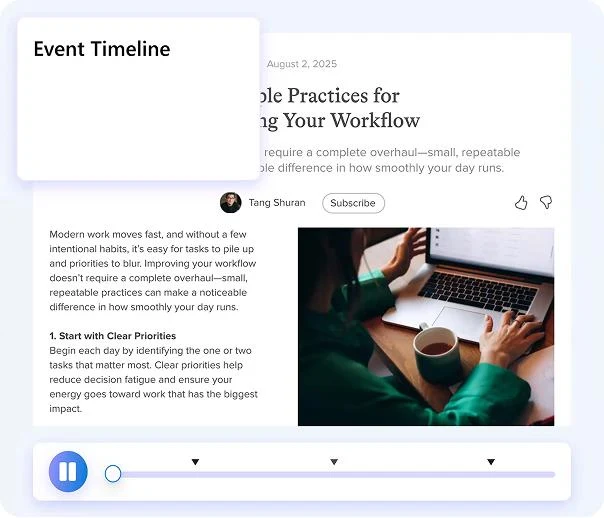
Microsoft Clarity session recording and event timeline

Our Take

Clarity is an accessible way to add visual evidence to a product or conversion investigation.

Best for:
Solo usersSmall teamsGrowing businesses
Best use case: Reviewing mobile sessions around a confusing form and checking whether the same pattern appears in heatmaps.

Solo site owners and teams can review visitor behavior; useful conclusions need sufficient traffic.

Read the full assessment

Clarity is an accessible way to add visual evidence to a product or conversion investigation. Choose a page and a concrete issue, then filter recordings around the relevant device, behavior or event. Heatmaps can show patterns, but a small group of recordings should not be treated as a representative survey. Pair the observations with conversion data and test the proposed fix. Its free pricing makes it easy to evaluate without a subscription decision.

Strengths

  • No subscription or traffic charge
  • Recordings and several heatmap types
  • Rage-click and dead-click signals
  • Google Analytics and platform integrations

Tradeoffs

  • Behavior needs interpretation
  • Retention and platform capabilities have limits
  • It does not replace full product analytics
  • Installation needs masking and consent configuration

Who it suits

  • Small teams researching site friction
  • Ecommerce conversion work
  • Teams adding replay context to analytics

About Microsoft Clarity

Microsoft Clarity provides behavioral analytics through session recordings, heatmaps and friction signals. Teams can filter sessions, examine clicks and scrolling, and use AI summaries to focus an investigation. Website installation and mobile SDKs support different digital experiences. Clarity is offered without a subscription charge or a paid upgrade tier. It works well alongside quantitative analytics: a report can identify a drop-off, then Clarity can supply visual context. Masking, consent configuration and retention settings should be reviewed as part of installation so the collected material matches the intended research use.

Pricing & Plans

Prices use the currency shown. Tax, usage limits and billing terms vary by provider.

Annual billing
Recommended

Free forever

$0/mo

Clarity is presented as free forever with no traffic limits and no paid version to upgrade to.

  • Always-on recordings
  • Click, scroll, area, and conversion heatmaps
  • Rage click and dead click insights
  • 40+ filters
Full plan details & limits

Clarity is presented as free forever with no traffic limits and no paid version to upgrade to.

Free

  • Copilot/session insights
  • Copilot/group session summarization
  • Copilot/heatmap summarization
  • Smart events
  • Easy Google Analytics integration
  • Unlimited heatmaps
  • Unlimited websites
  • Unlimited team members
  • No traffic limits
  • No paid version to upgrade to
View full pricing details

Everything you need to know

Explore more details about Microsoft Clarity.

FeaturesSession recordings, Heatmaps, Filters / segmentation + more.
  • Session recordings
  • Heatmaps
  • Filters / segmentation
  • Labels
  • Downloading and sharing data
  • Consent handling
  • Live extension
  • AI summaries
  • AI chat
  • AI visibility
  • Brand agents
  • Always-on recordings
  • Click heatmaps
  • Scroll heatmaps
  • Area heatmaps
  • Conversion heatmaps
  • Rage click insights
  • Dead click insights
  • 40+ filters
  • Copilot/session insights
  • Copilot/group session summarization
  • Copilot/heatmap summarization
  • Smart events
  • Near real-time data
RatingsG2: 4.5/5, Capterra: 4.8/5, Shopify App Store: 4.6/5
  • G2Microsoft Clarity4.5/5 · 54
    Source Checked September 8, 2026
  • CapterraMicrosoft Clarity4.8/5 · 55
    Source Checked September 8, 2026
  • Shopify App StoreMicrosoft Clarity: AI Insights - Optimize conversions with AI analytics, recordings, heatmaps4.6/5 · 2,120
    Source Checked September 8, 2026

Customer ratings from the linked platforms, separate from our recommendations. Scores and counts can change; each platform uses its own review process.

Integrations & connectionsHow Microsoft Clarity fits into your workflow

Google Analytics, Google Tag Manager, CookieYes, Adobe Experience Platform Tags, AIOSEO, AITOC, Analyzify, Blue Triangle, Bubble, ClickFunnels, Elevar, Gatsby, Kameleoon, Optimizely Web, SEO Press, SharePoint Integration, Shopify, Softr, Squarespace, UET Integration, Unbounce, Webflow, Weebly, Wix, WordPress

Platforms & availabilityWeb dashboard · Website tracking · Android and iOS SDKs · Flutter and React Native integrations

Microsoft

Free plan: Available. Free trial: Not verified.

Cost considerationsBilling, usage limits and additional fees

Clarity is free, with no traffic-based subscription charge and no paid upgrade tier. The pricing page lists unlimited websites, heatmaps and team members. Free access does not mean indefinite data retention or identical capabilities across web and mobile; review the relevant product documentation. A separate trial is unnecessary for the permanent free offering.

Not sure Microsoft Clarity is right for you?

Here are a few other great tools to consider.

View All Alternatives

Sources & Verification

Checked September 9, 2026 · 11 sources · View sources

Provider facts and pricing are separate from our editorial assessments.