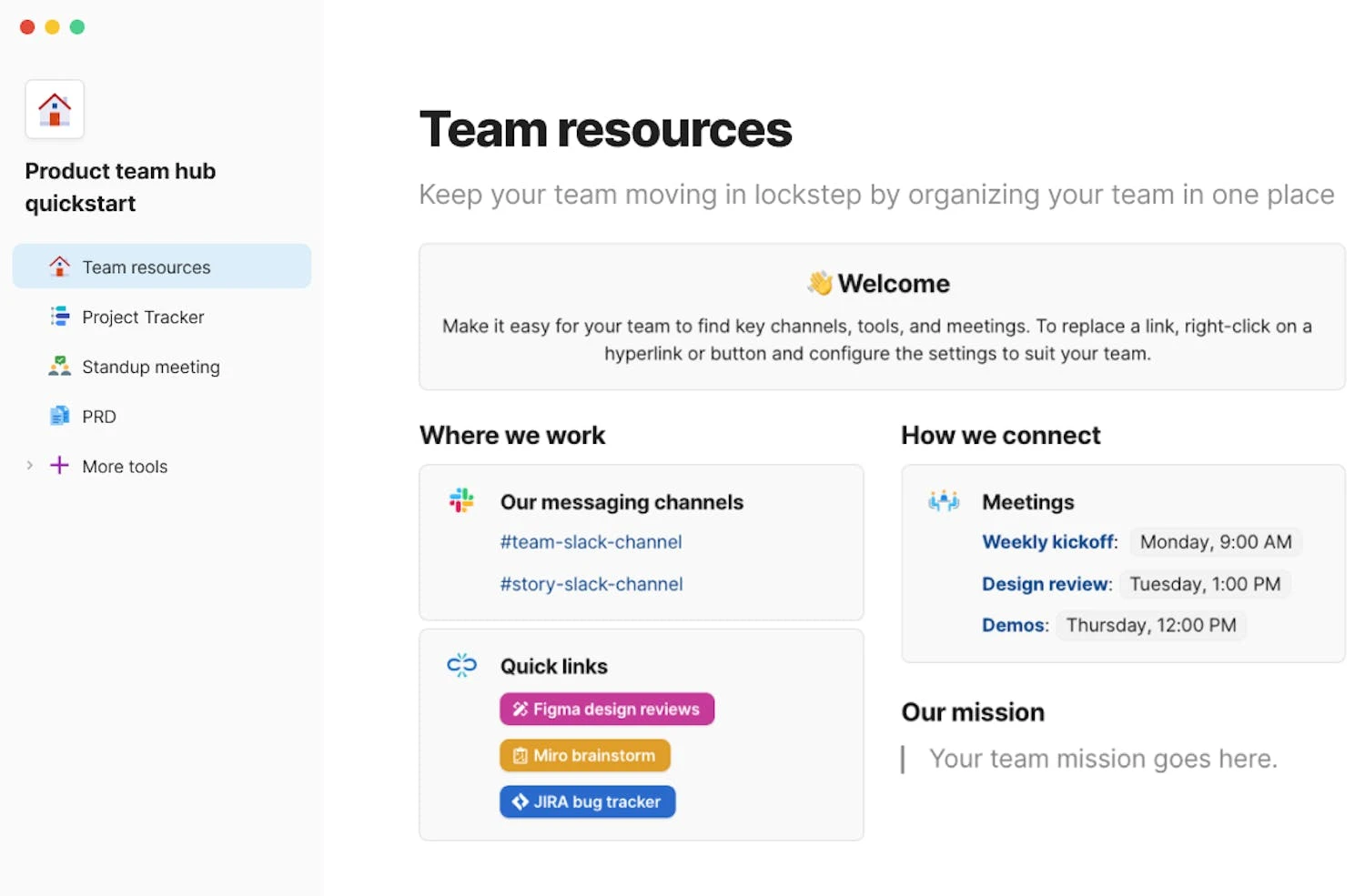
Coda, now presented as Superhuman Docs, combines collaborative documents with tables, formulas, automations, and connected workflows. Teams can build internal trackers and operating documents without maintaining a separate custom app.

4.6/5(98)CapterraFree plan available
Visit Website

Last checked: September 9, 2026

Coda official product interface demonstration

Our Take

Coda is attractive when a few people build workflows that many colleagues use.

Best for:
Solo usersSmall teamsGrowing businesses
Best use case: Building shared operating documents and trackers with a small group of creators.

Individual builders and operations teams can combine documents, tables, and repeatable workflows.

Read the full assessment

Coda is attractive when a few people build workflows that many colleagues use. Charging Doc Makers rather than every editor can make that collaboration economical. The tradeoff is ownership: someone needs to maintain the formulas, connected data, and permissions. It is less compelling for a team that only needs simple notes or wants a ready-made project process with minimal configuration.

Strengths

  • Flexible documents with structured data
  • Free editor and viewer collaboration
  • Broad connected-workflow options

Tradeoffs

  • Workflows need an internal owner
  • Maker permissions affect billing
  • More setup than a simple notes app

Who it suits

  • Operations teams
  • Small businesses
  • Agencies

About Coda

Coda, now presented as Superhuman Docs, combines collaborative documents with tables, formulas, automations, and connected workflows. Teams can build internal trackers and operating documents without maintaining a separate custom app.

Pricing & Plans

Prices use the currency shown. Tax, usage limits and billing terms vary by provider.

Save up to 20%

Free

$0/mo

Free access for Coda.

  • Collaborative docs
  • Tables and forms
  • Basic automations
  • Try AI and MCP
Full plan details & limits

Free access for Coda.

$0/month

    Pro

    $15/Doc Maker/mo

    Pro access for Coda.

    • Unlimited doc size
    • 30-day history
    • Custom branding
    • AI features in beta
    Full plan details & limits

    Pro access for Coda.

    $15/month per Doc Maker

      Business

      $40/Doc Maker/mo

      Business access for Coda.

      • Unlimited automations and history
      • Private folders
      • Doc locking
      • Cross-doc actions
      Full plan details & limits

      Business access for Coda.

      $40/month per Doc Maker

        More plans, volume options & API pricing (1)

        Enterprise

        Contact sales

        Enterprise access for Coda.

        • SSO and SCIM
        • Access governance
        • Audit events
        • AI administration
        Full plan details & limits

        Enterprise access for Coda.

        Contact sales for a quote

          View full pricing details

          Everything you need to know

          Explore more details about Coda.

          FeaturesConnected tables and forms, Formulas and automations, Collaborative documents + more.
          • Connected tables and forms
          • Formulas and automations
          • Collaborative documents
          • AI-assisted document building in beta
          • Cross-document actions on Business
          • Enterprise governance
          RatingsCapterra: 4.6/5
          • CapterraCoda4.6/5 · 98
            Source Checked September 8, 2026

          Customer ratings from the linked platforms, separate from our recommendations. Scores and counts can change; each platform uses its own review process.

          Integrations & connectionsHow Coda fits into your workflow

          Gmail, Slack, Google Calendar, Google Docs, Jira, GitHub, Figma, Salesforce

          Platforms & availabilityWeb

          Free plan: Available. Free trial: Not verified.

          Cost considerationsBilling, usage limits and additional fees

          Coda pricing redirects to Superhuman Docs. Current Pro and Business prices replace older Coda Pro/Team figures. Only Doc Makers are billed; Editors and Viewers are free. Annual amounts are monthly equivalents. Integration availability varies by plan.

          Not sure Coda is right for you?

          Here are a few other great tools to consider.

          View All Alternatives

          Sources & Verification

          Checked September 9, 2026 · 3 sources · View sources

          Provider facts and pricing are separate from our editorial assessments.