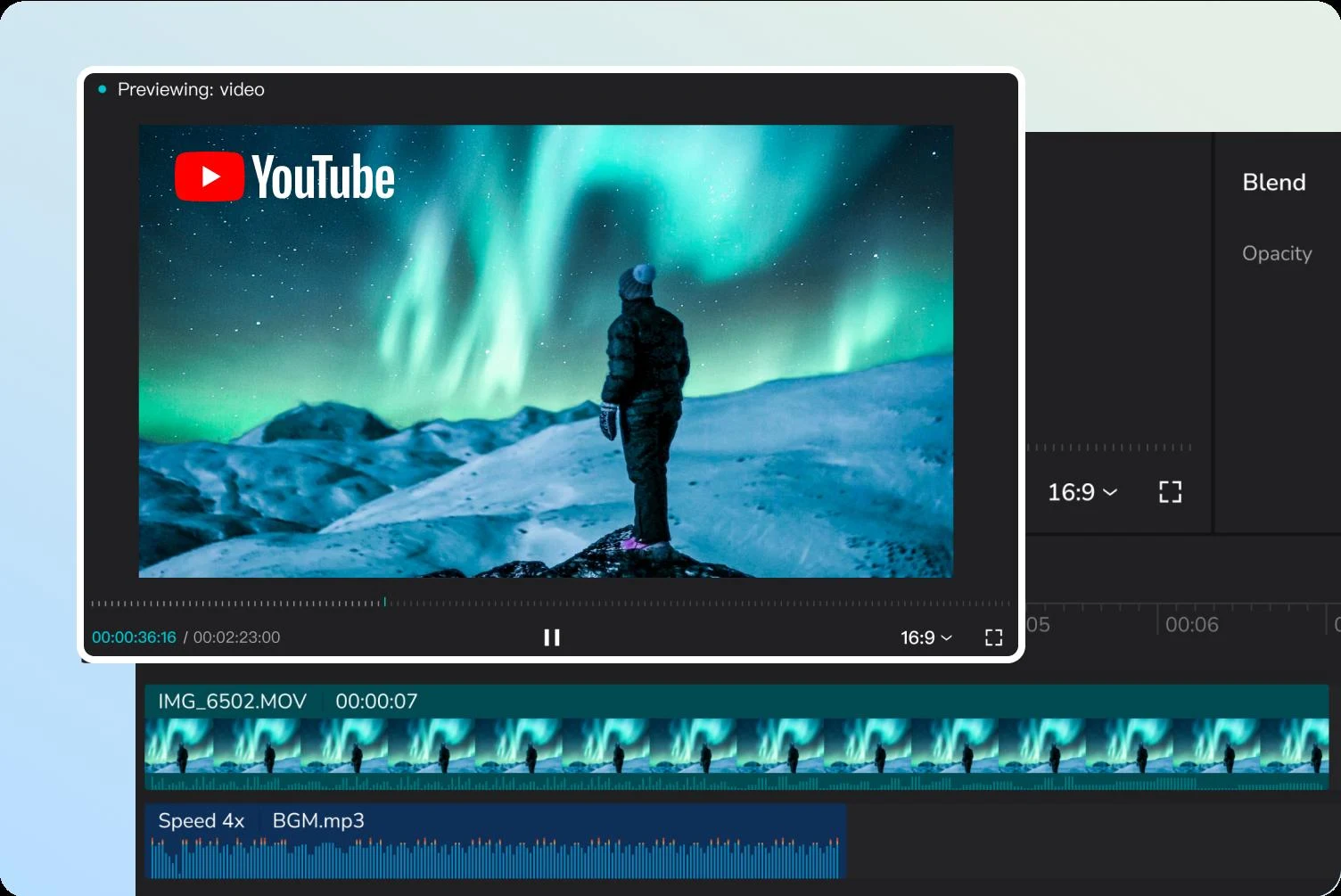
CapCut is a video and image-editing platform available on the web, desktop and mobile devices. Timeline tools combine clips, text, audio, transitions and effects, while templates, captions and AI-assisted editing help prepare content for social channels.
CapCut is useful for turning footage into short social videos with captions, music, templates and quick effects.
Timeline and template workflows together
Caption and audio tools for social video
Premium assets and assisted tools may cost extra
Membership details vary across platforms
Best for:
Solo usersSmall teams
Best use case: Turning a recorded product demonstration into a captioned social video with music and on-screen text.
Fits independent short-form creators and small teams adapting social video.
Read the full assessment
CapCut is useful for turning footage into short social videos with captions, music, templates and quick effects. The free editor is a sensible place to test your routine before selecting a membership. Pro becomes more relevant when you repeatedly need its premium assets or assisted tools. Compare the offer on your actual device, since platform-specific pricing and changing entitlements can make a general pricing article a poor substitute for the checkout details.
Strengths
Timeline and template workflows together
Caption and audio tools for social video
Web, desktop and mobile options
Free editing entry point
Tradeoffs
Premium assets and assisted tools may cost extra
Membership details vary across platforms
Storage and AI allowances need confirmation
Generated content and automatic captions need review
Who it suits
Short-form video creators
Small business social teams
Creators adapting footage for multiple channels
About CapCut
CapCut is a video and image-editing platform available on the web, desktop and mobile devices. Timeline tools combine clips, text, audio, transitions and effects, while templates, captions and AI-assisted editing help prepare content for social channels. Users can start with recorded footage or supported generation tools and refine the result before exporting.
Free editing and paid memberships have different asset, AI and storage entitlements. Standard, Pro and Teams naming and availability vary across platforms and regions, so the subscription shown in your own app is the final reference for included features.
Pricing & Plans
Prices use the currency shown. Tax, usage limits and billing terms vary by provider.
Save up to 25%
Free editor
$0/mo
Core editing without a paid membership.
Basic clip trimming and assembly
Selected templates and effects
Text and audio tools
Paid assets and advanced features are separate
Full plan details & limits
Core editing without a paid membership.
Cloud storage and export settings vary
Recommended
Pro
$19.99/mo
Paid editing tools and premium creative assets.
Premium effects and templates
Advanced text styles
Eligible AI features and cloud workflows
Exact AI credits and storage depend on the offer
Full plan details & limits
Paid editing tools and premium creative assets.
U.S. example prices; region and device may differ
Teams
Variable cost
A shared creative workspace for accepted team members.
Eligible Pro features
Collaborative editing
Brand kits and shared templates
Team configuration affects the total
Full plan details & limits
A shared creative workspace for accepted team members.
Official example starts around $24.99/month; confirm configuration
Customer ratings from the linked platforms, separate from our recommendations. Scores and counts can change; each platform uses its own review process.
Integrations & connectionsHow CapCut fits into your workflow
Export and sharing workflows for TikTok, YouTube and Instagram, CapCut account access across supported devices
Platforms & availabilityCapCut Web · CapCut Desktop for Windows/macOS · CapCut Mobile for iOS/Android · CapCut Pad
ByteDance
Free plan: Available. Free trial: Not verified.
Cost considerationsBilling, usage limits and additional fees
The official U.S. example lists Pro at $19.99/month or $179.99/year. Prices vary by region, device, tax and promotions. Teams starts around $24.99/month in the official comparison, so a confirmed estimate is required instead of assuming a universal fixed bill. Official pages differ on Standard naming and cloud storage; the free editor is listed separately here. Confirm exact AI credits, export settings, commercial asset rights and trial availability in the app.