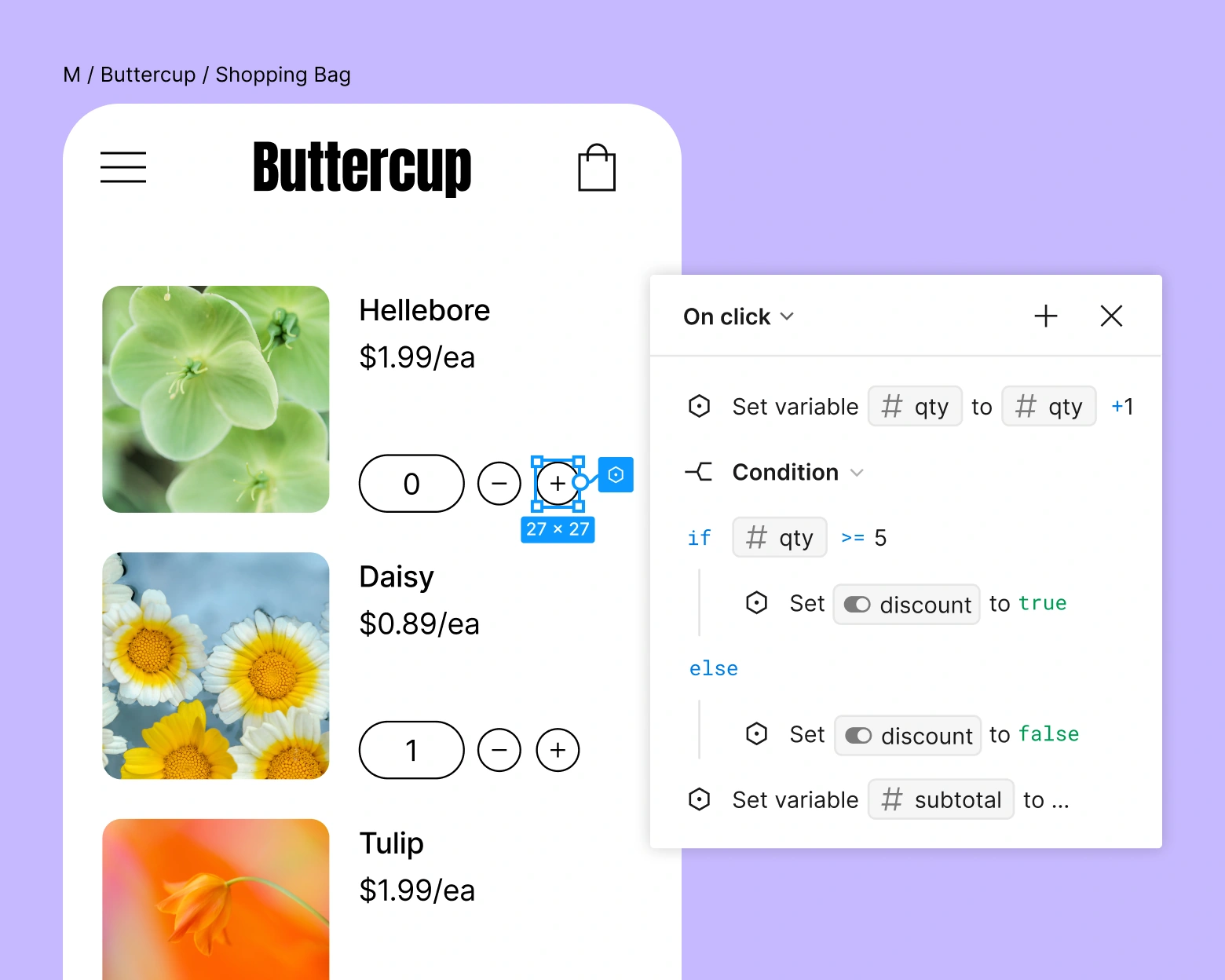
Figma is a collaborative design workspace for interfaces, prototypes, and reusable components. Designers can map out a storefront, product page, or app and share a clickable version for feedback before implementation.
Public rating not verifiedFree plan available; usage limits apply.
Figma is valuable when you need to decide how an experience should work before paying to build it.
Shared visual feedback on one design
Reusable components encourage consistency
Designs still need implementation
Seat choice materially affects the bill
Best for:
Solo usersSmall teamsGrowing businessesEnterprise
Best use case: Prototype a mobile storefront before development.
Prototype a mobile storefront before development. Create a reusable design system for a brand. Review a landing page with designers and developers.
Read the full assessment
Figma is valuable when you need to decide how an experience should work before paying to build it. For an ecommerce team, use it to test product-page structure, mobile navigation, or checkout handoffs. A polished prototype is still a design artifact and needs implementation. Review who actually needs a Full seat before inviting the entire team onto a paid plan.
Strengths
Shared visual feedback on one design
Reusable components encourage consistency
Prototypes expose navigation problems early
Seat types support different roles
Tradeoffs
Designs still need implementation
Seat choice materially affects the bill
Advanced team governance requires higher tiers
Who it suits
Prototype a mobile storefront before development.
Create a reusable design system for a brand.
Review a landing page with designers and developers.
About Figma
Figma is a collaborative design workspace for interfaces, prototypes, and reusable components. Designers can map out a storefront, product page, or app and share a clickable version for feedback before implementation. Comments and developer handoff help keep design decisions connected to the build.
Subscriptions distinguish Full, Dev, and Collab seats. The Full-seat prices here are for people doing design work; lower-cost seat types have different access. Figma also includes adjacent products for whiteboarding, presentations, and AI-assisted creation, with capabilities and credit allowances depending on the plan.
Pricing & Plans
Prices use the currency shown. Tax, usage limits and billing terms vary by provider.
Save up to 20% with annual billing
Starter
$0/mo
For learning and small design projects.
Personal design exploration
Limited team files
Prototyping tools
Basic collaboration
Full plan details & limits
For learning and small design projects.
For learning and small design projects. Monthly billing.
Professional Full seat
$20/seat/mo
For ongoing design work.
Professional design workspace
Expanded team design work
Shared components and collaboration
Full-seat product access
Full plan details & limits
For ongoing design work.
For ongoing design work. Monthly billing.
Organization Full seat
$55/seat/mo
$660 per seat annual cost
Showing the available annual option
For multiple teams working together.
Organization-wide design work
Shared libraries and administration
Centralized team management
Full-seat access
Full plan details & limits
For multiple teams working together.
For multiple teams working together. $660.00 billed annually per seat.
More plans, volume options & API pricing (1)
Enterprise Full seat
$90/seat/mo
$1,080 per seat annual cost
Showing the available annual option
For larger organizations.
Enterprise design operations
Advanced organization controls
Large-team administration
Full-seat access
Full plan details & limits
For larger organizations.
For larger organizations. $1080.00 billed annually per seat.
RatingsAn independent customer rating has not been verified for this listing.
We could not verify a public customer rating for this specific product.
Integrations & connectionsHow Figma fits into your workflow
Figma supports plugins and developer handoff workflows. Share files and prototypes with collaborators, and check the required Full, Dev, or Collab seat for each person’s role.
Platforms & availabilityWeb App
Free plan: Available. Free trial: Not verified.
Cost considerationsBilling, usage limits and additional fees
USD Full-seat pricing: Professional $20/month or $192/year; Organization $660/year; Enterprise $1,080/year. Dev and Collab seats cost less but provide different access. AI credit add-ons and other products can add to the total.