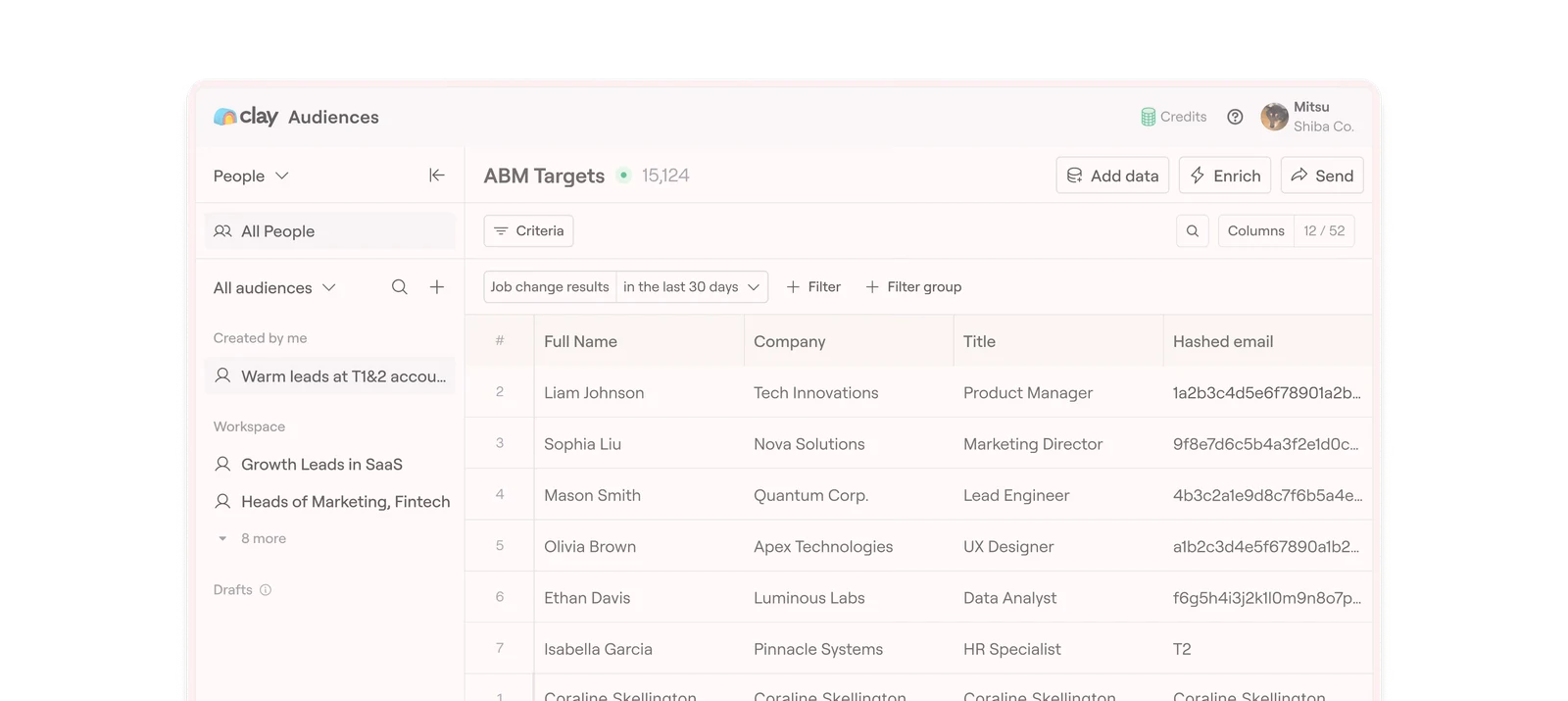
Build prospect-research and enrichment workflows in tables. Clay combines data providers, web research, and automation so teams can turn a defined audience into more useful records.
Clay is worth a look when you already know what information makes a prospect relevant.
Flexible research workflows
Multiple data sources
Two usage dimensions
Workflow setup takes time
Best for:
Solo usersSmall teamsGrowing businesses
Best use case: A sales-operations team enriching CRM records
Clay is worth a look when you already know what information makes a prospect relevant. I would test a small batch and measure useful results before increasing credits; complex workflows can spend money without improving the list.
Read the full assessment
Clay is worth a look when you already know what information makes a prospect relevant. I would test a small batch and measure useful results before increasing credits; complex workflows can spend money without improving the list. It is a flexible research system, but someone still has to design and maintain the workflow. Confirm the selected actions and credit package rather than treating the starting price as unlimited usage.
Strengths
Flexible research workflows
Multiple data sources
Bring-your-own-key options
Tradeoffs
Two usage dimensions
Workflow setup takes time
External provider bills possible
Who it suits
A sales-operations team enriching CRM records
A founder researching a tightly defined account list
A team combining several data providers in one workflow
About Clay
Build prospect-research and enrichment workflows in tables. Clay combines data providers, web research, and automation so teams can turn a defined audience into more useful records.
Actions and data credits are separate budget dimensions. Using your own provider key can create costs outside Clay.
Clay is most useful when you need to combine several data sources and build a repeatable enrichment workflow. Actions and data credits are separate cost drivers; a single row can trigger several steps. Start with a small batch, inspect the output and measure the credits consumed before scaling it. It is a flexible research system, but someone still has to design and maintain the workflow. Confirm the selected actions and credit package rather than treating the starting price as unlimited usage.
Pricing & Plans
Prices use the currency shown. Tax, usage limits and billing terms vary by provider.
Free
$0/mo
Paid plans use configurable action and data-credit allowances.
500 actions/month
100 data credits/month
200 rows per table
Full plan details & limits
Paid plans use configurable action and data-credit allowances. Published examples are not universal flat prices. Enter the selected calculator total and add external API bills separately.
Paid plans use configurable action and data-credit allowances. Published examples are not universal flat prices. Enter the selected calculator total and add external API bills separately.
Launch
Variable cost
Configure both action and data-credit allowances; enter the calculator total.
Prospecting workflows
Phone enrichment
Signals
Full plan details & limits
Configure both action and data-credit allowances; enter the calculator total.
Configure both action and data-credit allowances; enter the calculator total.
Growth
Variable cost
Configure actions and data credits for the actual workload.
CRM synchronization
HTTP APIs
Expanded automation
Full plan details & limits
Configure actions and data credits for the actual workload.
Configure actions and data credits for the actual workload.
Customer ratings from the linked platforms, separate from our recommendations. Company profiles can cover several products and customer-service experiences. Small review samples may not be representative. Scores and counts can change; each platform uses its own review process.
Integrations & connectionsHow Clay fits into your workflow
Connect data providers, CRMs, webhooks, and APIs according to plan. Connected paid accounts can have their own charges.
Platforms & availabilityWeb App
Free plan: Available. Free trial: Not verified.
Cost considerationsBilling, usage limits and additional fees
Paid plans use configurable action and data-credit allowances. Published examples are not universal flat prices. Enter the selected calculator total and add external API bills separately.