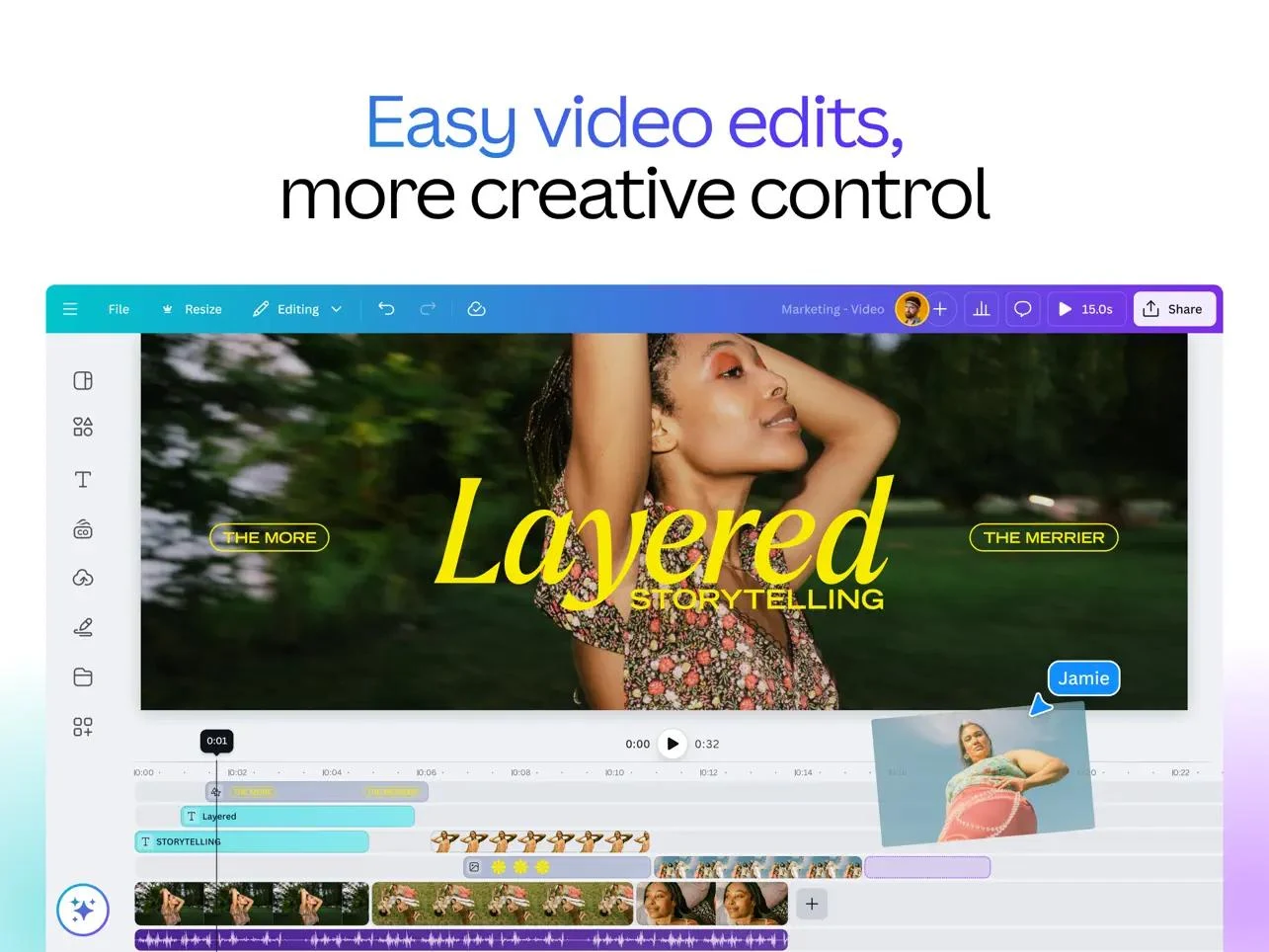
Canva is a visual workspace for presentations, social posts, documents, videos and other design formats. Users start with templates or a blank canvas, combine their own assets with licensed content, and export or share the result.
Canva is a practical starting point for a small business producing frequent social posts, presentations and simple campaign assets.
Many common content formats in one editor
Templates and reusable brand elements
Detailed custom work may need a specialized editor
Premium assets and tools require a paid plan
Best for:
Solo usersSmall teamsGrowing businesses
Best use case: Creating a reusable set of branded social graphics and adapting it for each campaign.
Solo creators can produce content; teams can coordinate templates and brand materials.
Read the full assessment
Canva is a practical starting point for a small business producing frequent social posts, presentations and simple campaign assets. Templates and reusable brand elements reduce repetitive layout work, while shared designs make review easier. Pro suits an individual who needs premium content and resizing; Business is the more relevant comparison when approvals and multiple collaborators matter. Check the actual seat count and AI allowance before treating the headline subscription as the whole budget.
Strengths
Many common content formats in one editor
Templates and reusable brand elements
Sharing, comments and team approval options
Clear individual and team offerings
Tradeoffs
Detailed custom work may need a specialized editor
Premium assets and tools require a paid plan
AI tasks draw from a shared allowance
Team seats and AI add-ons can increase the total
Who it suits
Small business marketers
Creators producing regular social content
Teams coordinating branded materials
About Canva
Canva is a visual workspace for presentations, social posts, documents, videos and other design formats. Users start with templates or a blank canvas, combine their own assets with licensed content, and export or share the result. AI tools help with creation and editing, while folders and reusable brand elements organize recurring work.
Pro is designed for one person. Business adds collaboration, approvals and team administration, and Enterprise adds organization controls such as SSO and SCIM. AI usage draws from a shared allowance, so premium tasks can consume more capacity than standard ones.
Pricing & Plans
Prices use the currency shown. Tax, usage limits and billing terms vary by provider.
Save up to 17%
Free
$0/mo
Core design tools for an individual.
Drag-and-drop editor and templates
Basic photos, graphics, video and audio
PDF, JPG and PNG export
Access to Affinity
Full plan details & limits
Core design tools for an individual.
5 GB cloud storage
1 Brand Kit with three colors
Shared AI allowance: up to 200 Standard uses or 20 Premium uses
Recommended
Pro
$18/mo
Premium content and editing tools for one person.
Premium templates and content
Resize, translate and background removal
Social content scheduling
AI creation and connectors
Full plan details & limits
Premium content and editing tools for one person.
One person
100 GB storage and 5 Brand Kits
Shared AI allowance is 10 times Free; AI Pass costs extra
Business
$25/person/mo
Brand and collaboration tools for individuals and teams.
Everything in Pro
Team administration and collaboration
Brand approvals
Access to Flourish
Full plan details & limits
Brand and collaboration tools for individuals and teams.
500 GB storage and 100 Brand Kits
Shared AI allowance is 20 times Free
Additional people and AI add-ons increase cost
More plans, volume options & API pricing (1)
Enterprise
Contact sales
An organization agreement with advanced controls.
SSO and SCIM
Custom apps
Multi-team management and tiered approvals
Priority support
Full plan details & limits
An organization agreement with advanced controls.
Contact sales
1 TB storage and 1,000 Brand Kits
Dedicated success manager requires 150 or more contracted seats
Customer ratings from the linked platforms, separate from our recommendations. Scores and counts can change; each platform uses its own review process.
Integrations & connectionsHow Canva fits into your workflow
Slack, Asana, Microsoft Teams, Salesforce, Google Workspace, ChatGPT, Claude, Canva Apps Marketplace (300+ design apps), Connect APIs, Apps SDK
Platforms & availabilityWeb · Windows · Mac · iOS · Android · Chromebook
Canva
Free plan: Available. Free trial: Available; check eligibility with the provider.
Cost considerationsBilling, usage limits and additional fees
U.S. prices before tax. Pro is $18 monthly or $180 per year for one person; Business is $25 monthly or $250 per year per person. Annual stack estimates use the actual invoice divided by twelve. AI allowances are shared across eligible tiers, not separate quotas for each tier. AI Pass and top-ups cost extra. Pro and Business offer trials; eligible education and nonprofit organizations may qualify for free premium access. Additional team members can change billing.
Compare Photoroom and Canva for product photos, catalog editing, and social designs. Use a sample-image checklist and calculate cost per approved asset.