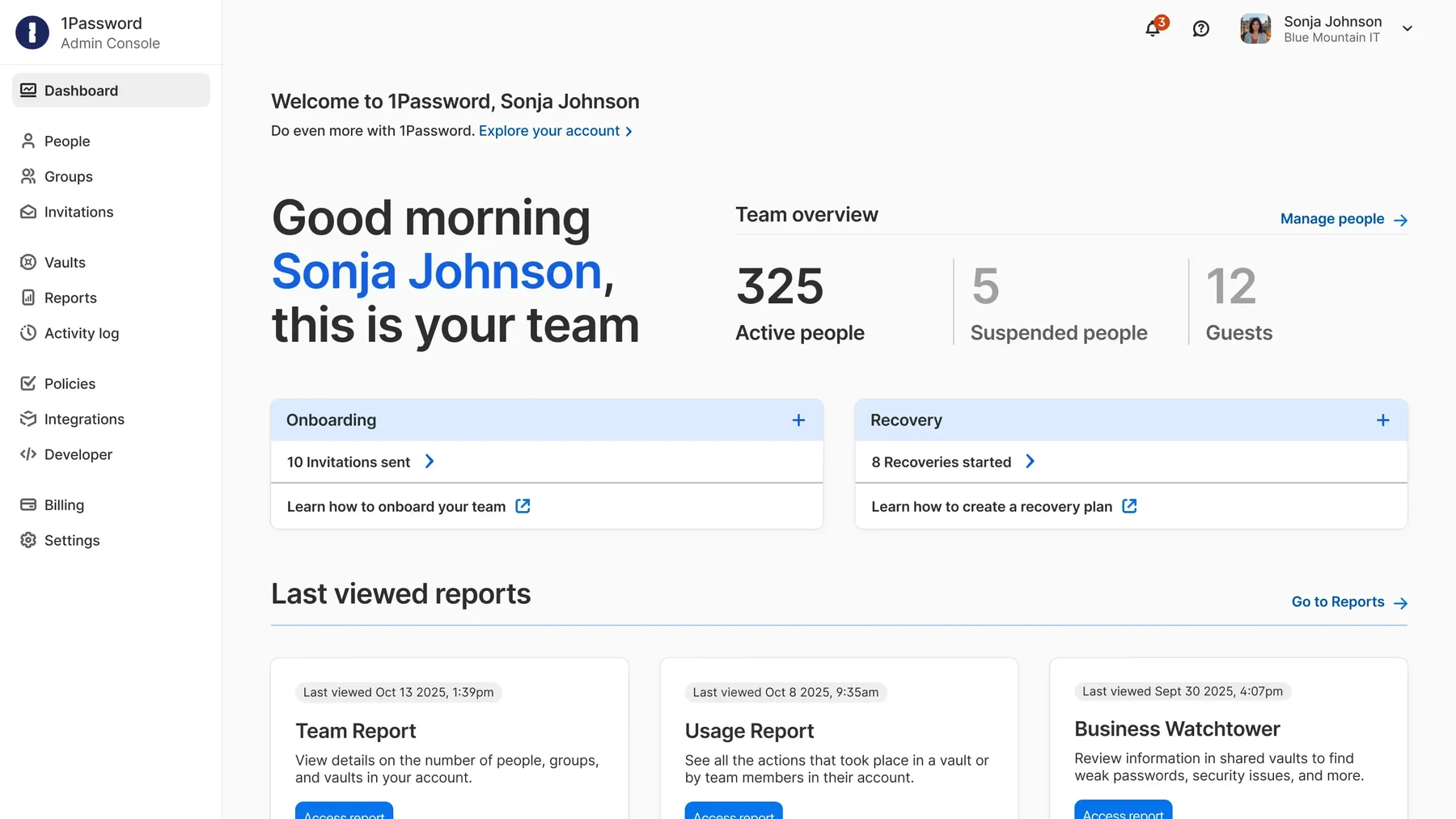
1Password stores logins, passkeys, payment details, secure notes and other sensitive items in organized vaults. Its apps and browser extensions can generate, save and fill credentials, while Watchtower identifies weak or compromised entries that need attention.
1Password is useful when passwords and shared credentials need a consistent home across devices.
Broad device and browser support
Shared vaults and controlled item sharing
No free-forever membership
Renewal rates exceed introductory offers
Best for:
Solo usersSmall teamsGrowing businesses
Best use case: Giving teammates access to shared business credentials through a managed vault with clear ownership.
Individual vaults suit solo users; shared business vaults suit teams.
Read the full assessment
1Password is useful when passwords and shared credentials need a consistent home across devices. Test autofill and recovery with the browsers and phones your household or team uses most. Families keeps personal and shared items separate, while Teams Starter can suit a small group within its included seats. Business adds more administration and identity integration. Compare renewal rates, and decide who owns shared vaults and account recovery before importing everything.
Strengths
Broad device and browser support
Shared vaults and controlled item sharing
Password generation and Watchtower alerts
Business administration and developer tools
Tradeoffs
No free-forever membership
Renewal rates exceed introductory offers
Advanced administration needs higher licensing
Recovery and shared-vault ownership need planning
Who it suits
Households sharing selected credentials
Small teams managing business logins
Mixed-device teams needing managed vaults
About 1Password Password Manager
1Password stores logins, passkeys, payment details, secure notes and other sensitive items in organized vaults. Its apps and browser extensions can generate, save and fill credentials, while Watchtower identifies weak or compromised entries that need attention. Secure sharing can give someone access to an item without sending it as ordinary text.
Individual and Families focus on personal use; Teams Starter Pack and Business add managed sharing and administration. Business expands identity integrations, reporting and policy controls. Developer tools support credentials in technical workflows, while broader enterprise identity products require separately scoped purchases.
Pricing & Plans
Prices use the currency shown. Tax, usage limits and billing terms vary by provider.
Save up to 25%
Individual
$4.99/mo
Personal password manager plan for one seat with browser extensions, apps, password generation, autosave/autofill, secure sharing with anyone, and alerts for weak or compromised credentials.
1 seat
browser extensions
apps on macOS/iOS/watchOS/Windows/Android/Linux
password generation
Full plan details & limits
Personal password manager plan for one seat with browser extensions, apps, password generation, autosave/autofill, secure sharing with anyone, and alerts for weak or compromised credentials.
USD 4.99/month
autosave/autofill
secure sharing with anyone
alerts for weak or compromised credentials
Families
$7.99/mo
Family password manager plan with up to 5 seats, unlimited vaults, simple admin controls, and Individual plan features.
up to 5 family members
unlimited vaults
simple admin controls
all Individual features
Full plan details & limits
Family password manager plan with up to 5 seats, unlimited vaults, simple admin controls, and Individual plan features.
USD 7.99/month
5 seats
Recommended
Teams Starter Pack
$29.95/mo
Managed password sharing for a small team, with ten members included.
sharing passwords and sensitive data
security alerts
role-based permissions
1Password Developer tools
Full plan details & limits
Managed password sharing for a small team, with ten members included.
USD 29.95/month
support/onboarding resources
access across macOS/iOS/watchOS/Windows/Android/Linux
browser extensions for Chrome/Safari/Edge/Firefox/Brave
QR-code device trust onboarding
login/address/payment autofill
location tags
sign-in with third-party providers
secure sharing with expiration dates and share history
guest access to vaults
Ten members included
Up to ten additional paid seats can be added
Business
$10.99/user/mo
Per-user business plan with everything in Teams Starter Pack plus integrations, role-based vault sharing and permissions, Watchtower alerts, provisioning, SIEM event streaming, administrative policy controls, usage reports, and business support/training items.
everything in Teams Starter Pack
integrations with Okta, Entra ID, OneLogin, Duo, and more
role-based vault sharing and permissions
Watchtower alerts
Full plan details & limits
Per-user business plan with everything in Teams Starter Pack plus integrations, role-based vault sharing and permissions, Watchtower alerts, provisioning, SIEM event streaming, administrative policy controls, usage reports, and business support/training items.
USD 10.99/month per user
SSO unlock
provisioning with Azure AD/Google Workspace/Okta/OneLogin/Rippling/JumpCloud
SIEM event streaming
developer-tool integrations
up to 20 guests
usage reports
administrative policy controls
business-support/training items
Complimentary Families account for each business user
More plans, volume options & API pricing (2)
1Password Enterprise Password Manager–MSP Edition
Contact sales
Managed service provider edition with a dedicated MSP console and support for adding existing or new customers into that console.
dedicated MSP console
supports adding existing customers into the console
supports adding new customers into the console
Full plan details & limits
Managed service provider edition with a dedicated MSP console and support for adding existing or new customers into that console.
Enter your complete quote
Enterprise Password Manager
Contact sales
A quoted password-management deployment for larger organizations.
Granular vault permissions
Developer toolkit
Activity logs
Multi-tenant support
Full plan details & limits
A quoted password-management deployment for larger organizations.
Customer ratings from the linked platforms, separate from our recommendations. Scores and counts can change; each platform uses its own review process.
Integrations & connectionsHow 1Password Password Manager fits into your workflow
Platforms & availabilitymacOS · iOS/iPadOS · watchOS · Windows · Android · Linux · web app · browser extensions for Chrome · browser extensions for Safari · browser extensions for Edge · browser extensions for Firefox · browser extensions for Brave
1Password
Free plan: Not listed for this product. Free trial: Available; check eligibility with the provider.
Cost considerationsBilling, usage limits and additional fees
Current standard USD prices: Individual $4.99/month or $3.99/month annually; Families $7.99 or $5.99 annually for five total seats. First-year promotional annual prices of $2.99/$4.49 are excluded from renewal budgets. Teams Starter Pack is $29.95/month or $24.95 annually for ten members; additional seats cost extra. Business is $10.99/user/month or $8.99 annually and includes a personal Families account per user; Teams Starter does not. Enterprise and MSP pricing require confirmation. A 14-day trial is offered; there is no free-forever membership.
Not sure 1Password Password Manager is right for you?